
Role · Production Manager
Your shop floor is running. Where is the part, right now?
ROBIN is Zozio's real-time cockpit for complex-flow shop floors. WIP is located without manual entry, schedule variance is visible station by station, and every disruption is rescheduled before it hits a customer milestone. You make decisions from a screen, not by walking the floor.
They already produce with ROBIN






The three figures
Three key indicators to master your daily production.
These are the ones ROBIN displays continuously, and the ones that recur throughout the rest of this page.
WIPWIP
What is released, and where
The parts committed to the shop floor, located and time-stamped. A part that has not moved for four days is a drift nobody has spotted yet.
Gapplan / actual
The workstation that falls behind
Each workstation's lead or lag against its schedule for the day. This tells you where to put resources before the end of the shift.
Disruptionstoday
What breaks the schedule
Breakdowns, absences, rework, shortages. Each one is quantified: how many hours of workload are displaced, which customer milestone is threatened.
Your challenges
Three things that cost you your day.
They recur on every complex-flow shop floor: job shop, short runs, one-off parts or maintenance.
Searching instead of producing
A part, a tool, a file. The time spent searching appears on no indicator, yet it eats into the shop floor's capacity every day.
Answer — ROBIN.Tracking
- WIP tracked1 480
- Idle > 48 h37
- Operator entry0
Every WIP item located on the shop floor map, with its idle time. No extra data entry.
The delay you discover too late
A workstation falls behind on Tuesday, and the information reaches the production meeting on Friday. By then no trade-off is possible any more: all that is left is to warn the customer.
Answer — ROBIN.Cockpit
- Machining M2 workstation — 4 h 30 behindMilestone at risk
- Reinforcement assigned — afternoon shiftRecovered
The gap to schedule and the threatened customer milestone appear as soon as the workstation falls behind — not at the Friday meeting.
Every disruption becomes a meeting
A breakdown, an absence, a shortage: you have to bring scheduling, methods and team leaders together to rebuild a sequence. The shop floor waits in the meantime. You have neither the time nor the role to compare scenarios: you need a quick answer, not a simulation.
Answer — ROBIN.Scheduling
< 2 min- Disruption declared
- Recalculation
- Shop floor informed
The sequence is recalculated around the constraint, and the shop floor screen displays the new work queue.
The product
ROBIN, the platform that runs the shop floor in real time.
ROBIN has five modules. The one you leave open all day is the cockpit.
ROBIN.Cockpit
The whole shop floor, visible in one place.
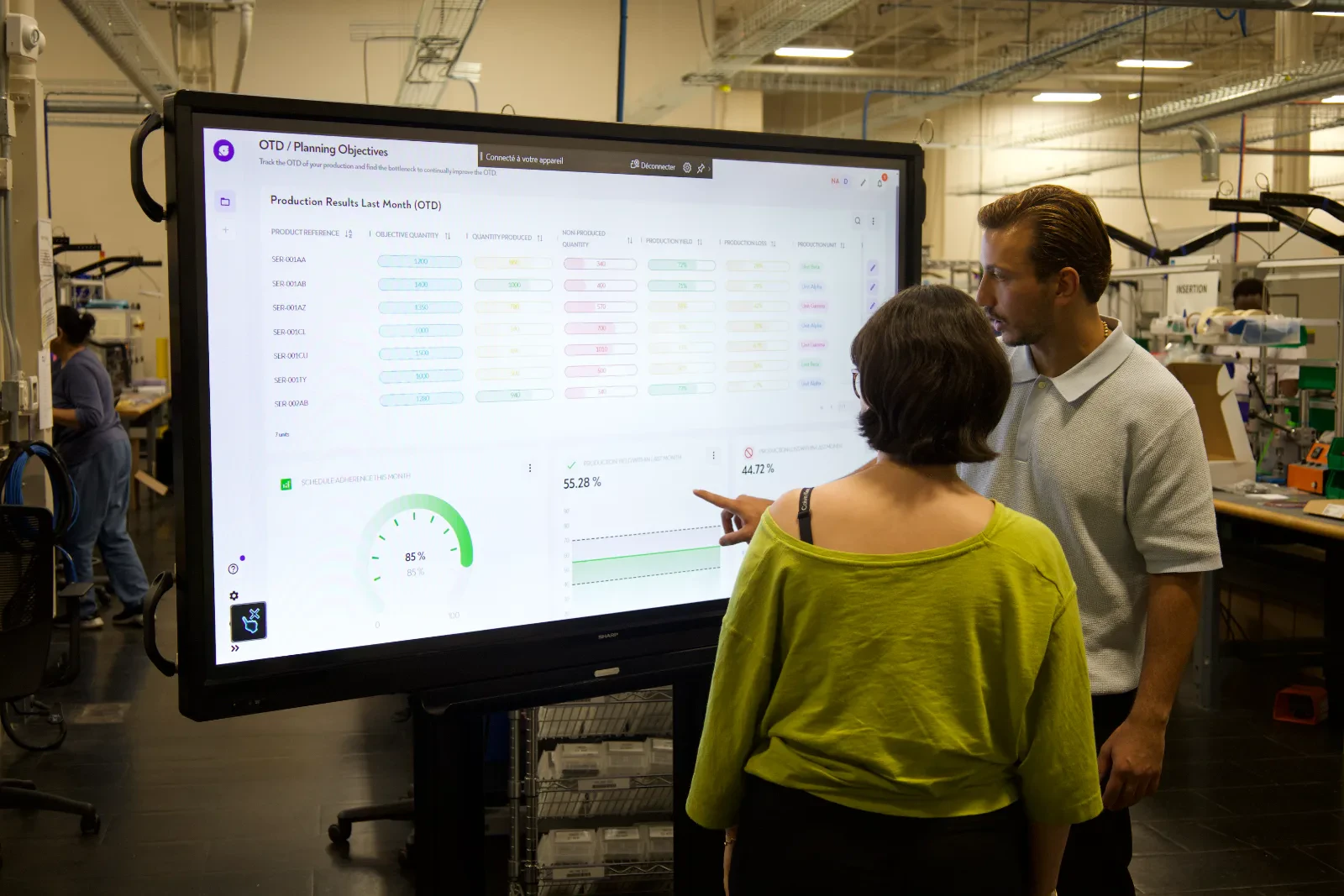
The shop floor's real-time dashboard: WIP map, Gantt chart, gaps and alerts, updated with every production event.
- WIP located on the shop floor map
- The gap to schedule workstation by workstation, continuously
- No user limit: team leaders and operators included
Where the part is, right now.
The shop floor map with WIP located. Click a zone to see what is stuck there, for how long, and which work order is concerned.
Live tracking · real time
Where the order is, right now.
Eight orders tracked on the shop-floor plan. Open one: it shows the path it took and how far it drifted from the plan.
Live tracking · real time
Floor plan — MRO shop floor
8 WOs tracked · 13:20
WO-48190
APU igniter swap
P0▼ 6 h late
5 / 6
WO-48201
Engine cowl reseal
P1▼ 2 h late
4 / 6
WO-48214
Hydraulic actuator O/H
P1▼ 3 h late
3 / 5
WO-48233
Landing gear NDT
P0▼ 9 h late
2 / 6
WO-48219
Fan blade inspection
P2▲ 4 h ahead
1 / 5
WO-48227
Flap track bearing
P1▼ 1 h late
4 / 6
WO-48241
Cowl repaint
P2▲ 2 h ahead
5 / 6
WO-48255
APU reassembly
P2● on time
5 / 6
Dot marking follows the order status · open an order to trace its path from zone to zone.
The calculation
What searching costs you in capacity.
Searching for a part, a tool or a file appears on no indicator, yet it eats into the shop floor's productive hours. Locating WIP removes most of it. Enter your orders of magnitude.
Your shop floor
Assumption: 60 % of search time eliminated by locating WIP, 220 working days, 1,560 h per FTE. Order of magnitude — the actual baseline is set during the diagnostic, on your data.
On the ground
What it changes on the shop floor.
- No extra data entry for operators: location is automatic
- One screen per cell: the work queue, in sequence, with tooling
- The production review takes five minutes, on shared figures
- Pilot scope in production in under 3 months
What ROBIN changes
The shop floor is run on facts, not on a walk-round.
A single version of the truth
Scheduling, team leaders, methods and management read the same screen. The production review no longer starts with half an hour of reconciling figures.
Disruptions absorbed within the day
A breakdown or an absence is declared, the sequencing is recalculated in under two minutes and the shop floor sees its new work queue. No crisis meeting.
Adoption that can't be decreed
The interface is understood in 30 seconds and the business adjusts the rules itself, without an IT ticket. That is what makes the screen useful at the workstation, not just for reporting.
The results
What it delivers on a real shop floor.
The gains observed on a defined scope, and the customer case that documents them.
- −7%lead time reduction — observed on an aircraft repair shop floor
- < 2 minbetween a declared disruption and a schedule that is executable again
- 0data entry added: WIP is located automatically
- < 3 monthsfrom signature to production on a pilot scope
Customer case · Aircraft repair shop
Landing gear: 7% TAT gained without adding capacity.
A European MRO absorbs its disruptions without TAT drift: scheduling recalculated in under two minutes, WIP located, no more rescheduling in Excel.
Read the customer case- −7 %TAT on the tracked equipment
- < 2 minto reschedule after a disruption
- 0rescheduling in Excel
The vendor
What you check before installing a tool on the shop floor.
Your data stays under control
European cloud hosting or on your own infrastructure, and export of your data at any time. No irreversible dependency.
Plugged into your IT systems
ROBIN connects to what you already have and replaces nothing.
- SAP
- Sage
- MES
- CMMS
No per-user cost
One screen per cell and one access per team leader cost nothing extra. Extending usage to the whole shop floor doesn't trigger a renegotiation.
A single point of contact
A ROBIN.Deploy project manager is on site for start-up, trains the teams and stays until they are autonomous.
Further reading
What we write for a production manager.

Dynamic scheduling · Thesis
MRO scheduling: why static scheduling drags down your TAT
It isn't variability that degrades TAT — it's the tool that pretends it doesn't exist.

Customer case · Aerospace
Reducing TAT on a landing gear shop floor
The project in detail: baseline, scope, measured results and deployment timeline.
FAQ · Production
The questions we get at the production review
How does ROBIN know where a part is?
ROBIN.Tracking locates WIP via sensors, with no operator input. Every part, bin, or carrier appears on the shop floor plan, along with the time spent at its current position. Shop floor declarations complement progress tracking.
Does it require additional data entry for operators?
No, that is the whole point. Location is automatic and progress comes from the declarations that already exist in your tools: no extra form, neither during nor at the end of a shift. The shop-floor screen shows the work queue: what needs doing, in what order, with which tooling. The operator reads it, they do not fill in a spreadsheet.
What happens when a machine or resource becomes unavailable?
The downtime is declared, the engine recalculates the schedule around the constraint and proposes a new sequence in about two minutes. Operations that put a customer milestone at risk are flagged, with the quantified impact.
Will my teams use it? Is it easy to pick up?
It is our design priority. The interface is built for the shop floor: a workshop map, a work queue, alerts. An operator or team leader sees at a glance what to do, in what order, and where each part is. Getting started takes a few hours, training included, and there is no per-user cost, so the whole shop floor has access. Moving away from Excel becomes an immediate time saver, not a burden.
How long does a ROBIN deployment take?
From signature to go-live, allow less than three months in most cases, support included, where heavyweight APS projects take 16 to 24 months. A demonstration on your own data can be set up in a few days.
You then start on a critical scope (a workshop, a line, a resource) and extend at your teams' pace. Most of the work goes into structuring routings and resources, not into configuring the software. The timeline is split into phases, with milestones and success criteria defined at the outset.
Should we replace our MES?
It depends on what your MES covers. ROBIN can connect to your existing MES, or take over work order management if you don't have one: releasing and tracking work orders, progress reporting by operators, time spent and operation traceability. Plus dynamic finite-capacity scheduling and real-time location of WIP.
Take action
The shop floor can be run on facts.
We come to see your flow, set the baseline and define a pilot scope with your teams.