
Role · Scheduler / Planner
The schedule you publish on Monday is wrong by Tuesday.
ROBIN is Zozio's scheduling engine for complex-flow shop floors, and the fastest on the market: 4,200 operations recalculated in under three seconds, with your real constraints — skills, tooling, alternative routings. You decide and you publish, instead of re-entering a schedule the shop floor has already contradicted.
They already schedule with ROBIN






The three figures
Three key indicators to master your daily schedule.
These are the ones ROBIN calculates continuously, and the ones that recur throughout the rest of this page.
Load/ capacity
Load compared with real capacity
ROBIN compares each workstation's load with its available capacity (people, machines, tooling). The scheduler sees overloads before they happen and shifts work to free resources.
TATturnaround time
Turnaround time measured continuously
ROBIN measures the actual time each order spends from entering to leaving the shop floor. The scheduler spots the steps that stretch the lead time and acts on them first.
Adherenceto the schedule
Schedule adherence measured automatically
ROBIN compares what was done with what was planned, operation by operation. The scheduler sees where the plan slips and corrects the rules that do not hold.
Your challenges
Three things that eat up your days.
They recur on every complex-flow shop floor: job shop, short runs, one-off parts or maintenance.
The schedule that is out of date before it is read
A breakdown, an absence, a quality rework, an urgent order: every event invalidates the sequence. Reworking it by hand takes hours, and the shop floor keeps moving in the meantime.
Answer — ROBIN.Scheduling
- Operations4 200
- Engine calculation< 3 s
- Published in< 2 min
The engine recalculates the entire schedule at every event. You validate the proposal, and the shop floor sees the new sequence.
The constraints no spreadsheet knows about
Certifications, shared tooling, alternative routings, setup times, mandatory sequencing orders: these rules live in your head. A schedule that ignores them cannot be executed, and it is the shop floor that has to correct it.
Answer — ROBIN.Scheduling
- Operation OP-4471 — class A welding2 certified
- Tooling M-118 — already committedAlt. routing
- Skills
- Tooling
- Alt. routings
- Setup times
- Calendars
- Subcontracting
Your rules are configured in the engine, and can be changed by the business without an IT ticket.
Making trade-offs without knowing what breaks
Putting one customer ahead of another means pushing delay elsewhere. Without simulation, the trade-off is made by gut feeling, and the consequence shows up two weeks later.
Answer — scenario comparison
Before publication- Hypothesis
- Quantified impact
- Publication
Two scenarios side by side, with their effect on customer milestones. You publish the one you stand behind.
The product
ROBIN, the platform that runs the shop floor in real time.
ROBIN has five modules. The one you open every morning is the scheduling engine.
ROBIN.Scheduling
A schedule recalculated at every disruption.
Finite-capacity scheduling for the shop floor: real constraints, proposals, an executable Gantt. The fastest engine on the market.
- 4,200 operations recalculated in under three seconds
- Skills, tooling and alternative routings built into the model
- Rules the business can change, without an IT ticket
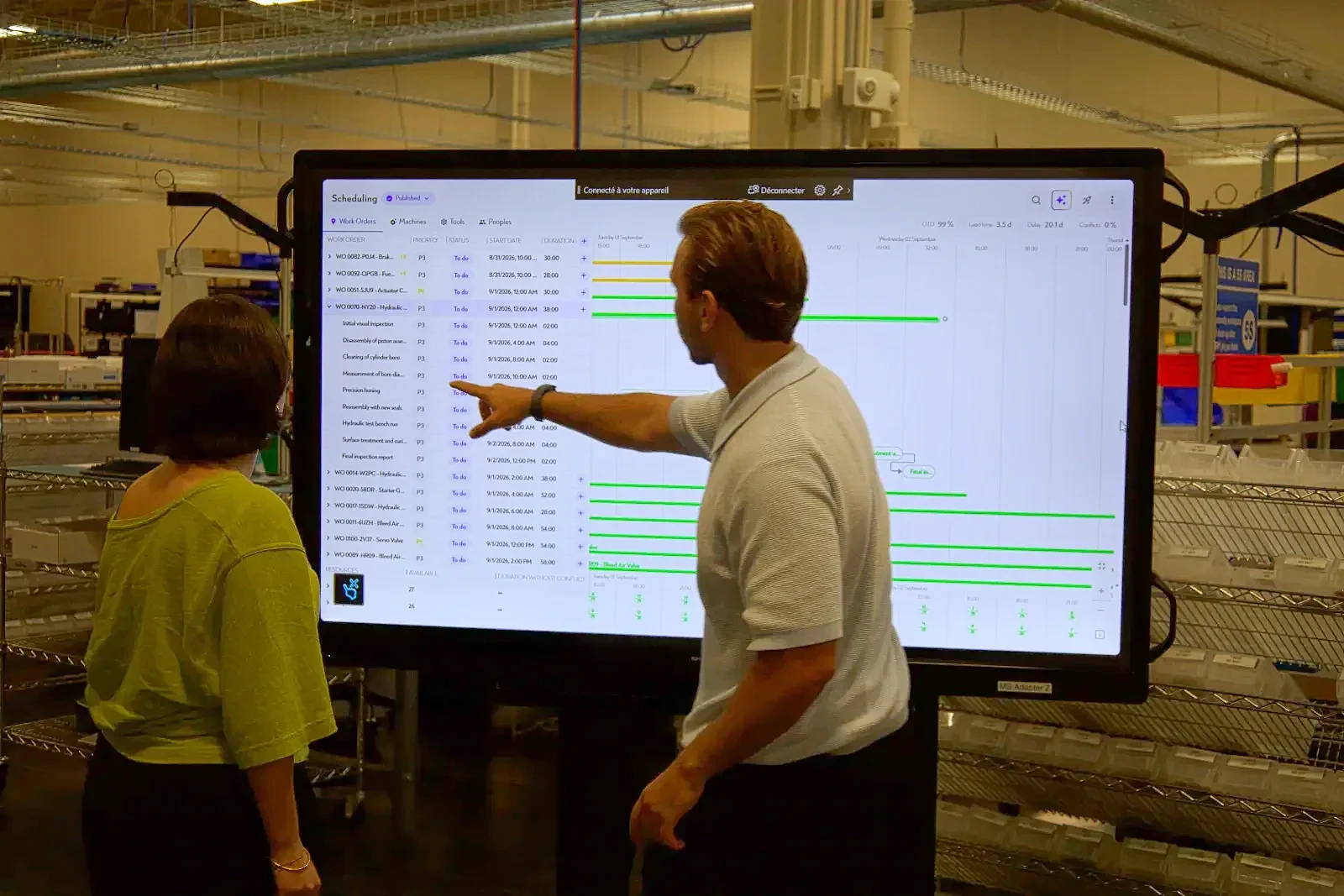
One disruption, and the sequence rebuilds itself.
Move an operation in the schedule below, run the optimisation, and watch how ROBIN rebuilds the sequence under capacity constraints — without starting from a blank sheet.
Dynamic scheduling
The plan drifts. One click puts it back on track.
Eight orders, six resources, one week. Reschedule and watch each bar move back ahead of its due date.
Dynamic scheduling
Drifted plan — 8 orders late
Optimised plan — all orders on time
8 late0 in the plan
0 late8 in the plan
The dotted marker shows the due date · a bar turns green when the order finishes before its own.
The calculation
What rescheduling costs you in hours.
Every disruption triggers a rework of the sequencing: consolidating progress, arbitrating, redistributing. ROBIN does not remove the trade-off, it removes the re-keying. Enter your orders of magnitude.
Your typical week
Assumption: 85% of re-entry time eliminated, 46 working weeks, 7 hours per person-day. Decision-making stays in your hands. Order of magnitude — the real baseline is set during the diagnostic, on your data.
Your role
What you keep, and what you let go.
- You keep the decision: freezing an operation, forcing a customer priority
- You let go of re-entry: no more files to rebuild after every disruption
- You gain the argument: every trade-off is quantified before publication
- A single reference schedule, shared across the whole shop floor
What ROBIN changes
The schedule becomes a tool, not a deliverable.
Sequencing that is always up to date
Progress flows up from the shop floor, the engine recalculates, and the proposal lands on your screen. The schedule follows production instead of running three days ahead of it.
Your rules, not a vendor's
Constraints, priorities and optimisation criteria are configured with you, then adjusted by the business. You don't wait for a software update to change a routing rule.
A trade-off you can defend
Each scenario shows its effect on customer milestones and on workstation load. In meetings, you show the figure instead of explaining a hunch.
The results
What it delivers on a real shop floor.
The gains observed within a defined scope, and the customer case that documents them.
- < 3 sto recalculate 4,200 operations with real constraints
- < 2 minbetween a declared disruption and a schedule that is executable again
- −7%lead time reduction — observed at an aircraft repair shop
- 0rescheduling in Excel once the pilot is in production
Customer case · Aircraft repair shop
Landing gear: 7% TAT gained without adding capacity.
A European MRO absorbs its disruptions without TAT drift: scheduling recalculated in under two minutes, WIP located, no more rescheduling in Excel.
Read the customer case- < 2 minto reschedule after a disruption
- −7 %of TAT on tracked equipment
- 0rescheduling in Excel
The vendor
What to check before changing tools.
Your data stays under control
European cloud hosting or on your own infrastructure, and export of your data at any time. No irreversible dependency.
Plugged into your IT systems
Work orders and routings stay in the ERP. ROBIN reads them and sends back progress.
- SAP
- Sage
- MES
- CMMS
No per-user cost
Giving team leaders and operators access to the schedule costs nothing extra. The budget doesn't depend on the number of seats.
A single point of contact
A ROBIN.Deploy project manager models your constraints with you, trains the team and stays until you can configure it on your own.
Further reading
What we write for a scheduler.

Dynamic scheduling · Thesis
MRO scheduling: why static scheduling drags down your TAT
It isn't variability that degrades TAT — it's the tool that pretends it doesn't exist.

Customer case · Aerospace
Reducing TAT on a landing gear shop floor
The project in detail: baseline, scope, measured results and deployment timeline.
FAQ · Scheduling
The questions we get asked in the methods office
How long does a full recalculation take?
About two minutes* for a complete reschedule after a disruption, so trade-offs can be made during the production day rather than the next morning.
*Average observed duration. It varies with the number of work orders to schedule.
Does ROBIN account for my real constraints?
Yes: skills and qualifications, shared tooling and resources, alternative routings, imposed sequencing orders, team calendars, subcontracting. These are the constraints that make an Excel schedule unworkable on the shop floor.
Does ROBIN decide instead of the scheduler?
No. ROBIN proposes a sequence and quantifies the impact of each option; the decision remains human. The scheduler can freeze an operation, force a customer priority or compare two scenarios before publishing, and the engine recalculates around those decisions instead of overriding them. The shop floor receives a sequence someone has validated, not an unreviewed automatic output.
Do You Have to Abandon Excel Overnight?
No. Deployment starts on a pilot scope — a shop floor, a line, a cell — in under 3 months. Excel runs in parallel until confidence in the ROBIN schedule is established, then fades away on its own.
How does ROBIN capture real operational progress?
Should we replace our ERP?
No. Your ERP remains the system of record for work orders, routings and bills of materials: it was designed for management, not for detailed scheduling. ROBIN connects to it through standard connectors (SAP, Sage and others) and takes over what it cannot do: dynamic finite-capacity scheduling and real-time shop-floor data (tracking, geolocation, actual progress).
The same goes for an existing MRO system: ROBIN pulls its work orders, routings and standard hours, and adds the layer it lacks. Your ERP investment is preserved.
Take action
The schedule can hold until the evening.
Send us an extract of your schedule and constraints: we'll show you ROBIN on your own operations.